Guide
Understanding Tokens, Storage & Usage
What are tokens?
Tokens are the currency that powers every AI operation in Lumethos. Each action in the pipeline consumes a specific amount of tokens. Here’s what a typical workflow looks like for a 30-minute video import:
- Clip extraction (finding the best moments): ~5,000 tokens
- Video summary: ~3,000 tokens
- Video title generation: ~400 tokens
- Language detection: ~100 tokens
- Per clip — engagement scoring (~1,000) + clip title (~400) = ~1,400 tokens each
- For 5 clips, that’s ~7,000 tokens
- Total for a 30-minute video: ~15,500 tokens
Here’s a quick reference for individual operations:
- Clip topic extraction: 2,000–8,000 tokens (scales with transcript length)
- Engagement assessment per clip: 500–2,000 tokens
- Title generation (video or clip): 200–600 tokens
- Video summary: 1,500–5,000 tokens
- Social media post text: 300–1,000 tokens
- Text hook overlay: 200–500 tokens
- Language detection: 50–200 tokens
Every plan includes a monthly token allowance that resets on your billing cycle. The trial includes 100k tokens. The Creator plan includes 750K tokens per month, Creator Team includes 4M. If you need more, you can purchase token add-ons (1M or 5M) that stack on top of your plan allowance.
With the Creator plan (750K tokens), you can comfortably process 45+ videos per month at the 30-minute average. That’s more than one full import every single day.
StorageOne hour of video, fully processed with clips, titles, and captions — roughly the cost of a coffee.
How storage works
Storage is straightforward: it’s the disk space your uploaded videos and exported clips occupy. When you import a video, the original file is stored. When you export clips, each rendered file adds to your usage.
The Creator plan includes 20 GB of storage, Creator Team includes 100 GB. You can add more with storage add-ons (50 GB or 100 GB). Deleting videos and clips frees up space immediately.
A few rules of thumb: a 1080p video uses about 1 GB per 10 minutes. Exported clips in 9:16 format are much smaller — typically 20-50 MB each. So 20 GB comfortably holds several hours of source video plus dozens of exported clips.
TrackingKeeping track of your usage
Your current token and storage usage is always visible in the sidebar. The progress bars show how much of your allowance you’ve used in the current cycle. When you’re logged in, click “Usage & Credits” for a detailed breakdown including add-ons, cycle dates, and renewal info.
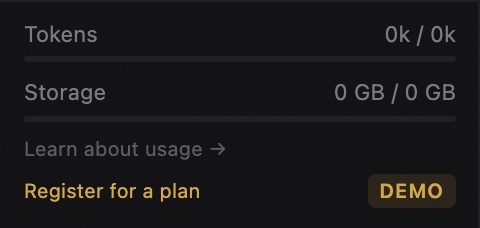
If your tokens run low (above 80%), you’ll see an amber warning. Above 95%, it turns red. You can purchase add-on tokens at any time from the billing section without changing your plan.
Storage works the same way — warnings appear as you approach your limit. Unlike tokens, storage doesn’t reset monthly. It’s a running total that only decreases when you delete content.
PhilosophyWhy usage-based pricing
We believe you should pay for what you actually use, not for seats or access. Whether you’re a solo creator or a team of five, the plan price stays the same — you just share the token and storage pool across your workspace.
This keeps things simple and fair. A creator who processes one video a week pays the same base rate as someone who processes ten, but the heavier user can top up with add-ons as needed. No surprises, no hidden tiers, no penalty for growing.